All Videos
What Happens if You Respond to Phish Bait? (Phishing Part 4)
You didn’t click a link. You didn’t open an attachment. You only replied.
So what’s the harm?
In Part 4 of our phishing awareness series, we explore what happens after someone responds …to a phishing email. Many phishing attacks begin with a simple reply that confirms you’re a real person willing to engage.
✅ Subscribe for more copier tutorials, cybersecurity tips, and IT best practices.
Once scammers know they’ve reached a responsive target, they often escalate the conversation with requests for gift cards, wire transfers, login credentials, sensitive information, or other forms of fraud.
In this video, you’ll learn:
✅ Why replying to suspicious emails is risky
✅ How attackers identify responsive targets
✅ What scammers typically do after receiving a response
✅ Why “harmless conversations” are often the first step of a larger scam
✅ What to do if you’ve already replied
The goal of phish bait isn’t always to steal information immediately. Often, it’s to start a conversation and build trust before the real scam begins.
When in doubt, verify requests through a trusted phone number, company directory, or known contact information before responding.
For more cybersecurity tips, phishing awareness training, and managed IT content, subscribe to the channel.
📞 Need help protecting your business from phishing and email threats? Visit: https://cbpnow.com
#Phishing #Cybersecurity #EmailSecurity #SecurityAwareness #PhishingTraining #SocialEngineering #ManagedIT #BusinessSecurity #ScamAwareness #CybersecurityTrainingShow More
What Happens if You Respond to Phish Bait? (Phishing Part 4)
You didn’t click a link. You didn’t open an attachment. You only …
You didn’t click a link. You didn’t open an attachment. You only replied.
So what’s the harm?
In Part 4 of our phishing awareness series, we explore what happens after someone responds …to a phishing email. Many phishing attacks begin with a simple reply that confirms you’re a real person willing to engage.
✅ Subscribe for more copier tutorials, cybersecurity tips, and IT best practices.
Once scammers know they’ve reached a responsive target, they often escalate the conversation with requests for gift cards, wire transfers, login credentials, sensitive information, or other forms of fraud.
In this video, you’ll learn:
✅ Why replying to suspicious emails is risky
✅ How attackers identify responsive targets
✅ What scammers typically do after receiving a response
✅ Why “harmless conversations” are often the first step of a larger scam
✅ What to do if you’ve already replied
The goal of phish bait isn’t always to steal information immediately. Often, it’s to start a conversation and build trust before the real scam begins.
When in doubt, verify requests through a trusted phone number, company directory, or known contact information before responding.
For more cybersecurity tips, phishing awareness training, and managed IT content, subscribe to the channel.
📞 Need help protecting your business from phishing and email threats? Visit: https://cbpnow.com
#Phishing #Cybersecurity #EmailSecurity #SecurityAwareness #PhishingTraining #SocialEngineering #ManagedIT #BusinessSecurity #ScamAwareness #CybersecurityTrainingShow More
Don't trust everything you see online…
AI deepfakes are no longer limited to viral videos or fake images …
AI deepfakes are no longer limited to viral videos or fake images online.
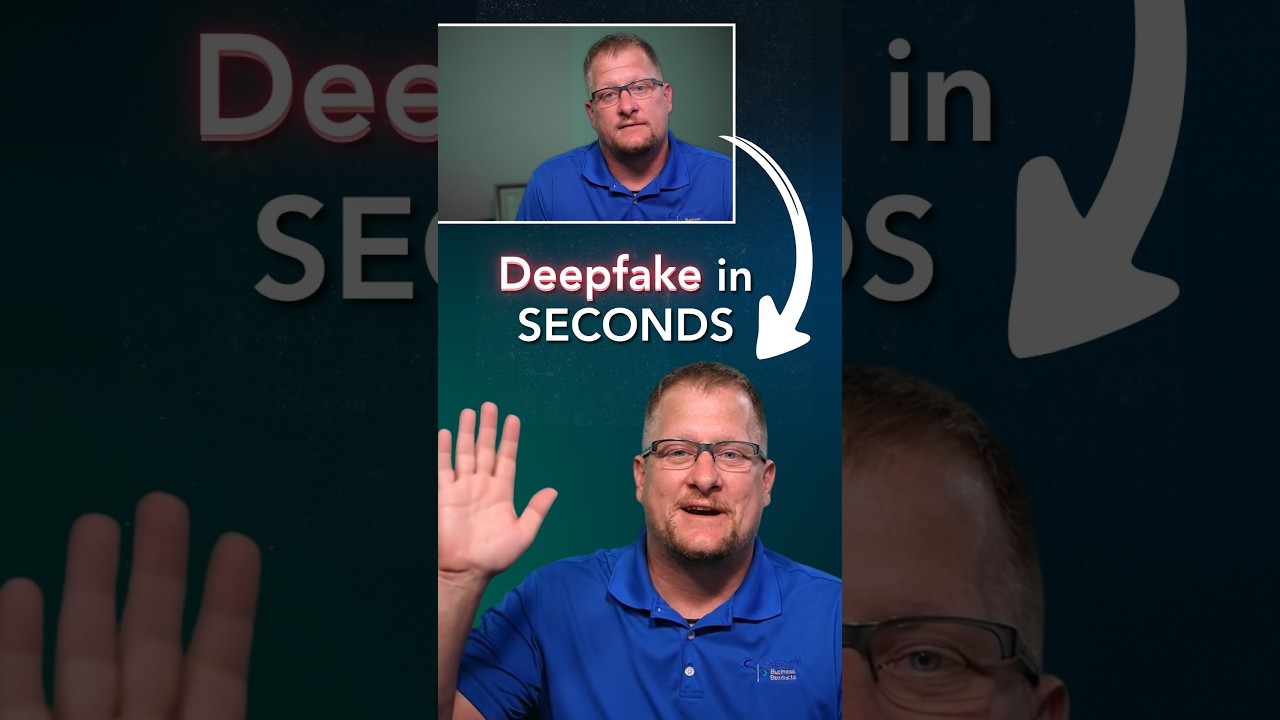
Today, artificial intelligence can replicate a person’s face, voice, and mannerisms well enough to be used in …phone calls, FaceTime conversations, video chats, and live interactions where people assume what they see and hear is real.
To prove it, we made an AI Deepfake of not just our Solutions Director, but our IT Director as well. Within a few minutes, we had footage of them saying things they never said–asking for passwords and bank information.
These were generated from a single photograph and one prompt.
This is what makes AI deepfakes dangerous. They can be used for scams, impersonation, fraud, blackmail, misinformation, and identity theft, even when there is no face‑to‑face interaction. A cloned voice on a phone call or a realistic face on a video chat can be enough to convince someone they are speaking to a real person.
We did this with regulated, professional-market tools. Can you imagine what bad actors can do with unregulated, dark web tools?
As AI tools become faster, cheaper, and easier to use, the risk moves beyond the internet and into everyday life. Trust is no longer guaranteed by seeing a face or hearing a voice.
Families, businesses, and entire institutions are now vulnerable to manipulation in ways we were not prepared for.
Society isn’t ready for AI deepfakes. Are you?
_______________
#AIDeepfakes #ArtificialIntelligence #Deepfake #AIDangers #VoiceCloning #FaceCloning #TechAwareness #FutureOfAIShow More
How to Recognize Phishing Email Scams (Phishing Part 3)
Not every phishing attack starts with a link or attachment. In this …
Not every phishing attack starts with a link or attachment.
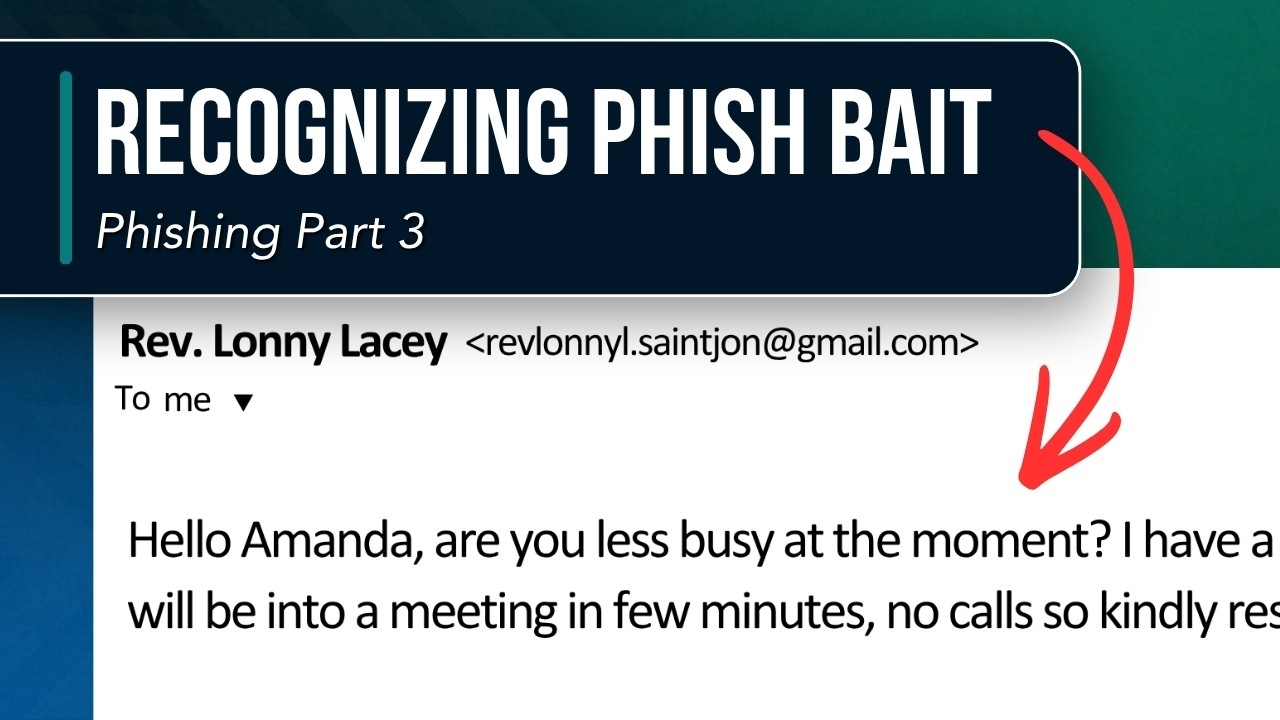
In this episode of our phishing awareness series, our IT Director breaks down a common social engineering tactic where a supposed …“Reverend” sends an email from a Gmail account asking for help with a confidential request and specifically requests an email response instead of a phone call.
✅ Subscribe for more copier tutorials, cybersecurity tips, and IT best practices.
While the message may seem harmless, scammers often use these tactics to identify responsive targets before moving on to gift card scams, wire fraud attempts, credential theft, or other forms of business email compromise.
In this video, you’ll learn:
✅ Why “urgent” and “confidential” requests are red flags
✅ Why scammers often discourage phone calls
✅ How attackers use email conversations as bait
✅ Common warning signs of impersonation scams
✅ What to do before responding to suspicious emails
Remember: When someone claims to represent an organization, church, business, executive, or colleague, always verify the request through a trusted communication channel before responding.
For more cybersecurity tips, phishing awareness training, and managed IT content, subscribe to the channel.
📞 Need cybersecurity assistance or employee security training?
Visit: https://cbpnow.com/?utm_source=youtube&utm_medium=organic_social&utm_campaign=phishing_awareness&utm_content=landscape_video_edu
#Phishing #Cybersecurity #EmailSecurity #SocialEngineering #ScamAwareness #ManagedIT #CyberSecurityTraining #BusinessSecurity #PhishingScam #RecognizingPhishBaitShow More
How to Print Envelopes on Kyocera TASKalfa Devices
Looking to print addresses, invoices, or business correspondence …
Looking to print addresses, invoices, or business correspondence directly onto envelopes? If you’re struggling you’re not alone.
In this video, our Solutions Director walks through the process of printing envelopes …on Kyocera TASKalfa copiers and MFPs. While menu layouts may vary slightly by model, most Kyocera devices follow a very similar set of steps.
✅ Subscribe for more copier tutorials, cybersecurity tips, and IT best practices.
Quick Envelope Printing Tips:
✅ Load envelopes into the appropriate paper source (MP Tray for just a few, Cassette 1 or Cassette 2 for many)
✅ Set the correct Paper Size and Media Type on the copier
✅ Open the Kyocera Print Driver on your computer when printing and match the same Paper Size and Media Type settings
✅ Select the correct Paper Source in the print driver (MP Tray, Cassette 1, or Cassette 2 depending on where the envelopes are loaded)
✅ Print your document
Finding the Kyocera Print Driver:
1. When printing, select your Kyocera device and click Printer Properties → Click the Basic Tab
2. From there you will set:
a. Paper Size
b. Media Type (Envelope)
c. Paper Source (MP Tray, Cassette 1, or Cassette 2)
Directly Compatible Devices:
TASKalfa 2552ci, 3552ci, 4052ci, 5052ci, 6052ci
TASKalfa 2553ci, 3553ci, 4053ci, 5053ci, 6053ci
TASKalfa 2554ci, 3554ci, 4054ci, 5054ci, 6054ci, 7054ci
TASKalfa MZ2501ci, MZ3501ci, MZ4001ci, MZ5001ci, MZ6001ci, MZ7001ci
TASKalfa 4002i, 5002i, 6002i
TASKalfa 4003i, 5003i, 6003i
TASKalfa 4004i, 5004i, 6004i, 7004i
TASKalfa MZ4001i, MZ5001i, MZ6001i, MZ7001i
For questions or assistance, call 800-529-1950 or visit:
👉 https://cbpnow.com/contact-us
#Kyocera #EnvelopePrinting #TASKalfa #OfficeTechnology #PrintingTips #CopierTrainingShow More
How to Print Envelopes on Kyocera TASKalfa Devices
Looking to print addresses, invoices, or business correspondence …
Looking to print addresses, invoices, or business correspondence directly onto envelopes? If you’re struggling you’re not alone.
In this video, our Solutions Director walks through the process of printing envelopes …on Kyocera TASKalfa copiers and MFPs. While menu layouts may vary slightly by model, most Kyocera devices follow a very similar set of steps.
✅ Subscribe for more copier tutorials, cybersecurity tips, and IT best practices.
Quick Envelope Printing Tips:
✅ Load envelopes into the appropriate paper source (MP Tray for just a few, Cassette 1 or Cassette 2 for many)
✅ Set the correct Paper Size and Media Type on the copier
✅ Open the Kyocera Print Driver on your computer when printing and match the same Paper Size and Media Type settings
✅ Select the correct Paper Source in the print driver (MP Tray, Cassette 1, or Cassette 2 depending on where the envelopes are loaded)
✅ Print your document
Finding the Kyocera Print Driver:
1. When printing, select your Kyocera device and click Printer Properties → Click the Basic Tab
2. From there you will set:
a. Paper Size
b. Media Type (Envelope)
c. Paper Source (MP Tray, Cassette 1, or Cassette 2)
Directly Compatible Devices:
TASKalfa 2552ci, 3552ci, 4052ci, 5052ci, 6052ci
TASKalfa 2553ci, 3553ci, 4053ci, 5053ci, 6053ci
TASKalfa 2554ci, 3554ci, 4054ci, 5054ci, 6054ci, 7054ci
TASKalfa MZ2501ci, MZ3501ci, MZ4001ci, MZ5001ci, MZ6001ci, MZ7001ci
TASKalfa 4002i, 5002i, 6002i
TASKalfa 4003i, 5003i, 6003i
TASKalfa 4004i, 5004i, 6004i, 7004i
TASKalfa MZ4001i, MZ5001i, MZ6001i, MZ7001i
For questions or assistance, call 800-529-1950 or visit:
👉 https://cbpnow.com/contact-us
#Kyocera #EnvelopePrinting #TASKalfa #OfficeTechnology #PrintingTips #CopierTraining
Chapters:
00:00 Small Print Job
00:50 Large Print Job
02:17 Driver SettingsShow More
📱 Lost or Broken Work Device? Do This Immediately
A lost laptop, tablet, or phone can become a serious security risk. …
A lost laptop, tablet, or phone can become a serious security risk.
Contact Catalyst IT as soon as possible so action can be taken to help protect company data: https://cbpnow.com/contact-us/
Stay …secure. Stay connected.
#ITSupport #Cybersecurity #CatalystITShow More
🔒 Protect Your Information Wherever You Work
Working remotely means taking extra steps to keep sensitive business …
Working remotely means taking extra steps to keep sensitive business information secure. A few simple habits can help prevent costly security risks……………. update those passwords!
#InformationSecurity #Cybersecurity #RemoteWork
Phishing Scammers Target Nonprofits. Here's How They Do It (Phishing Part 2)
🚨 Did you receive an email asking you to buy gift cards for your …
🚨 Did you receive an email asking you to buy gift cards for your pastor, church leader, executive director, or nonprofit leadership team?
In this video, our IT Director, Tyler, breaks …down a common phishing scam that specifically targets churches, nonprofits, and community organizations. These scammers often impersonate pastors, board members, executive directors, or other trusted leaders and create a sense of urgency, asking employees or volunteers to purchase gift cards and send back the codes.
Because gift cards are difficult to trace and nearly impossible to recover once redeemed, they remain one of the most popular payment methods used by cybercriminals. Unfortunately, churches and nonprofits are frequent targets because scammers know these organizations rely heavily on trust, volunteers, and quick communication.
🔍 In this video, you’ll learn:
✅ How gift card phishing scams work
✅ Why churches and nonprofits are targeted by cybercriminals
✅ Common red flags found in fraudulent emails
✅ How scammers impersonate church staff and nonprofit leaders
✅ Best practices for verifying unusual requests before taking action
✅ Steps your organization can take to prevent financial fraud
Cybercriminals continue to use social engineering tactics to manipulate employees, volunteers, and staff members into acting quickly without verifying requests. Learning how to recognize these scams can help protect your organization from financial loss and data breaches.
💡 Remember: If an email asks you to purchase gift cards, keep the request confidential, or act immediately, stop and verify the request through a phone call or another trusted communication method before taking action. Do not call the number listed in their email or contact information, call from a trusted website or a number you have saved instead.
👉 Subscribe for more cybersecurity tips, phishing awareness training, nonprofit IT security insights, and real-world scam breakdowns.
Need more information? Contact Catalyst IT right here: https://cbpnow.com/
#Cybersecurity #PhishingScam #NonprofitSecurity #ChurchSecurityShow More
☁️ Don't Save Important Files Only on Your Device
What happens if your laptop is lost, stolen, or damaged? Storing files …
What happens if your laptop is lost, stolen, or damaged? Storing files in the cloud helps protect important business data and keeps your team productive.
Learn more with Catalyst IT.
#CloudComputing #Cybersecurity …#CatalystITShow More
Subscribe to our YouTube!
Be the first to see our newest How-To and informative videos!